Giveaway!

I'll be giving away my
E-Book Tutorial Guide
for FREE to a lucky winner!


To enter, please fill out the
Contact Me Form on the sidebar
with the following:

Your Name
Email to receive E-Book
Subject: Giveaway
Message: 1) What you do or don't like about this site
2) Why you would or would not purchase the E-Book
3) What things would you like this site to provide
4) Optional: Website address for advertising the winner


Your information will be kept private.
By entering the Giveaway,
you agree to the Terms of Service.


Winner will randomly be picked
using this generator and
will be announced
Thursday, June 9!

New Free Kits for Spring and Giveaway!

I've just posted new 
free kits for Spring
at the bottom of the site!

Enjoy!

And be sure to come back 
Saturday for a giveaway!
I'll be giving away my
E-Book Guide for 
FREE
to a lucky winner!


Check back for details!

Awesome Site!


https://blogger.googleusercontent.com/img/b/R29vZ2xl/AVvXsEj_8g_Z7mKrAlEA5ZJxh0CRPfrn-lTxJhskOhW3v4-UMKi8pvx6e7VeLukZU_RrjovFUFUVLrebmWxMqsT-17aDWJd8xNx2osfBPRdjhi1gpLIr_JF_T8JCIfee9BA92KEcWchGLULTKs3B/s1600/CraftCritique_artscow-logo2.jpg

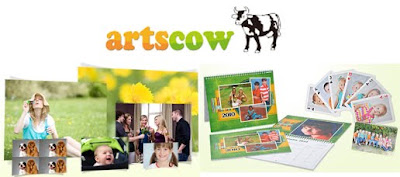
This site has a huge selection of items
you can personalize with your photos! 
Mugs, cards, purses, coasters, puzzles and more! 

They also have tons of discounts for signing up with them 
and you can usually get things shipped for free 
if you watch for their codes. 


They have become my new favorite site for 
ordering photo prints. 
It's only $.06 for a 4x6 or $.12 for a 5x7! 


I like to print the pages I've scrapbooked 
and there have been a few places I've gone 
where the coloring comes out different 
or an edge has been cut off or sometimes 
a white border has been added where it wasn't cut right; 
however, 
ArtsCow prints them crystal clear, with the  
exact colors and size I order. 


I highly recommend this site because 
not only are they the best price around, 
but they also provide the 
best quality 
that I've been able to find so far!

http://shuttermike.com/wp-content/uploads/2009/09/Artscow-dot-com-logo.jpg

Free Fonts


 I absolutely love this site! 

http://kevinandamanda.com/buttons/fsf.jpg
Free fonts to make your scrapbook cute
Here's some steps if you need help:

1) Click on a font, proceed to the next page 
and select "Download Now"

2) Save the zipped file to your desktop

3) Extract the zipped file

4) Go to Start, Computer, Control Panel, 
Appearance and Personalization, then Fonts

5) Drag the extracted font file into this folder

Next time you start Word or PowerPoint, 
you should see the font in the font options. 
Different computers may have 
the font folder in a different area 
since I'm using Windows 7

If you need help or have questions, 
email me or leave me a comment! 
Thanks!

Creating Handouts In PowerPoint


Can I just say how much I love PowerPoint? 
How often have I tried to create 
a cute handout or list in Word 
with clip art and you have to fight where it goes 
and right click and say "In front of Text" on each image. 
 
http://png-5.findicons.com/files/icons/1061/sleek_xp_software/300/microsoft_office_2007_powerpoint.png

Then I figured out why not do it in PowerPoint? 
I can import as many pictures or clip art photos 
as I want and move them around to my heart's content

It's saved me so much time and frustration, 
not to mention 
I love the photo editing features 
that comes with PowerPoint. 


A lot of people ask me why I don't use Publisher 
or an actual graphic program, 
and that's because I don't HAVE them, 
but I do have PowerPoint
I realize they can all do a lot of the same features 
but I want to use something that 
most people already have 
and not have to convince people 
to go make a purchase;
not to mention most people (or their kids) 
already know how to use PowerPoint

It's user friendly from the start! 
Brochures, handouts, pretty much anything can be made in a snap!
Pin It button on image hover